Talking Flash Cards Learning Toy – Interactive Vocabulary Reader for Kids
Talking Flash Cards Learning Toy – Interactive Vocabulary Reader for Kids
Couldn't load pickup availability

Talking Flash Cards Learning Toy – Interactive Vocabulary Reader for Kids
Product Overview
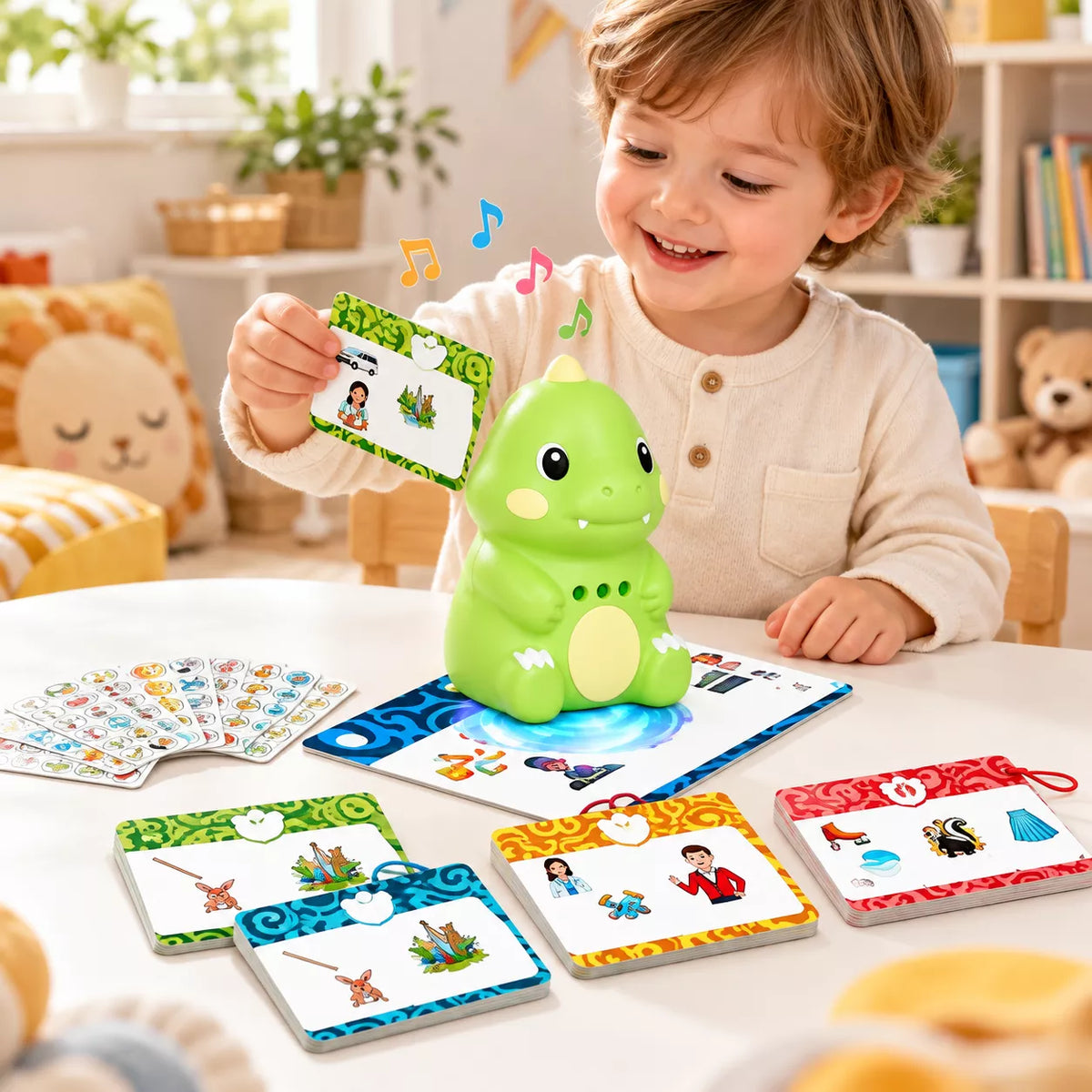
Make early learning more engaging with the Interactive Dinosaur Talking Flash Card Reader, an educational learning toy designed to introduce children to letters, words, phonics, and pronunciation through interactive audio activities.
Featuring a friendly green dinosaur design, this electronic learning toy comes with 84 double-sided flash cards containing 592 vocabulary words. Children can insert a card into the reader to hear the corresponding word or sound, making vocabulary practice more interactive and enjoyable.
The colorful illustrated cards cover a variety of learning topics, including alphabet recognition, vowel pairs, consonant blends, and everyday vocabulary. Its compact design makes it suitable for learning activities at home or during travel.
Key Features
• Interactive Audio Learning: Insert a compatible flash card into the dinosaur reader to activate the corresponding audio pronunciation or sound.
• 592 Vocabulary Words: Includes a collection of 592 words to support early vocabulary development and word recognition.
• 84 Double-Sided Flash Cards: Comes with 84 illustrated cards featuring educational content on both sides.
• Phonics and Alphabet Activities: Introduces alphabet sounds, vowel pairs, consonant blends, and common word patterns.
• Colorful Picture Cards: Illustrated learning cards help children connect spoken words with recognizable objects and images.
• Dinosaur-Shaped Design: Features a bright green dinosaur with rounded features, a cream-colored belly, and a playful appearance.
• Screen-Free Learning: Encourages listening, vocabulary practice, and hands-on interaction without requiring a phone or tablet screen.
• Portable Learning Companion: Compact electronic reader and flash cards are convenient for home learning and travel activities.
Product Specifications
Product Name: Interactive Dinosaur Talking Flash Card Reader
Product Type: Electronic Educational Learning Toy
Product Variant: DB03
Design: Green Dinosaur
Main Material: Plastic Electronic Reader and Printed Learning Cards
Reader Color: Green with Cream-Colored Accents
Flash Card Quantity: 84 Cards
Total Vocabulary: 592 Words
Card Design: Double-Sided Illustrated Learning Cards
Learning Categories: Alphabet, Phonics, Vowel Pairs, Consonant Blends, and Vocabulary
Audio Function: Spoken Word Pronunciation and Interactive Sound Playback
Operation Method: Flash Card Insertion
Display Type: Screen-Free
Power Source: Rechargeable Electronic Reader
Reader Dimensions: Not Specified
Reader Weight: Not Specified
Package Contents: 1 × Dinosaur Talking Flash Card Reader, 84 × Double-Sided Learning Cards
Care & Usage Instructions
• Getting Started: Ensure the electronic reader has sufficient power before use. Turn on the device using its designated power control.
• Flash Card Learning: Select a learning card and insert it into the reader's card slot in the correct orientation. Listen to the audio playback and repeat the word or sound.
• Vocabulary Practice: Explore different flash card categories to practice pronunciation, letter sounds, and word recognition.
• Interactive Learning: Encourage children to identify the pictures, listen carefully, and repeat the spoken words during learning sessions.
• Card Handling: Insert and remove flash cards gently. Avoid bending, folding, or forcing cards into the reader.
• Cleaning: Wipe the electronic reader with a soft, dry cloth. Keep the card slot and electronic components free from dust and moisture.
• Storage: Store the reader and flash cards in a clean, dry place away from excessive heat, moisture, and direct sunlight.
• Adult Supervision: Adult supervision is recommended during use. Inspect the reader, charging components, and flash cards regularly for signs of damage.
• Safety Precautions: Do not immerse the electronic reader in water, disassemble the device, or use damaged charging accessories.